
Step 6 of 9 · Fallback (plain) DNS
If your router can't do encrypted DNS
Some older routers can't do encrypted DNS (DoH). That's fine; there's a plain version that still filters your home, it just isn't encrypted. You don't have to decide which is which: if you couldn't find a secure / encrypted DNS option on the previous step, use this fallback.
What "fallback DNS" means
A fallbackis simply the backup option to use when the preferred one isn't available. Here, the preferred option is encrypted DNS (DoH). The fallback is plain DNS: the same filtering, entered as a numeric address instead of a web address, and without the encryption layer. Still filtered, just not encrypted.
Where to put it
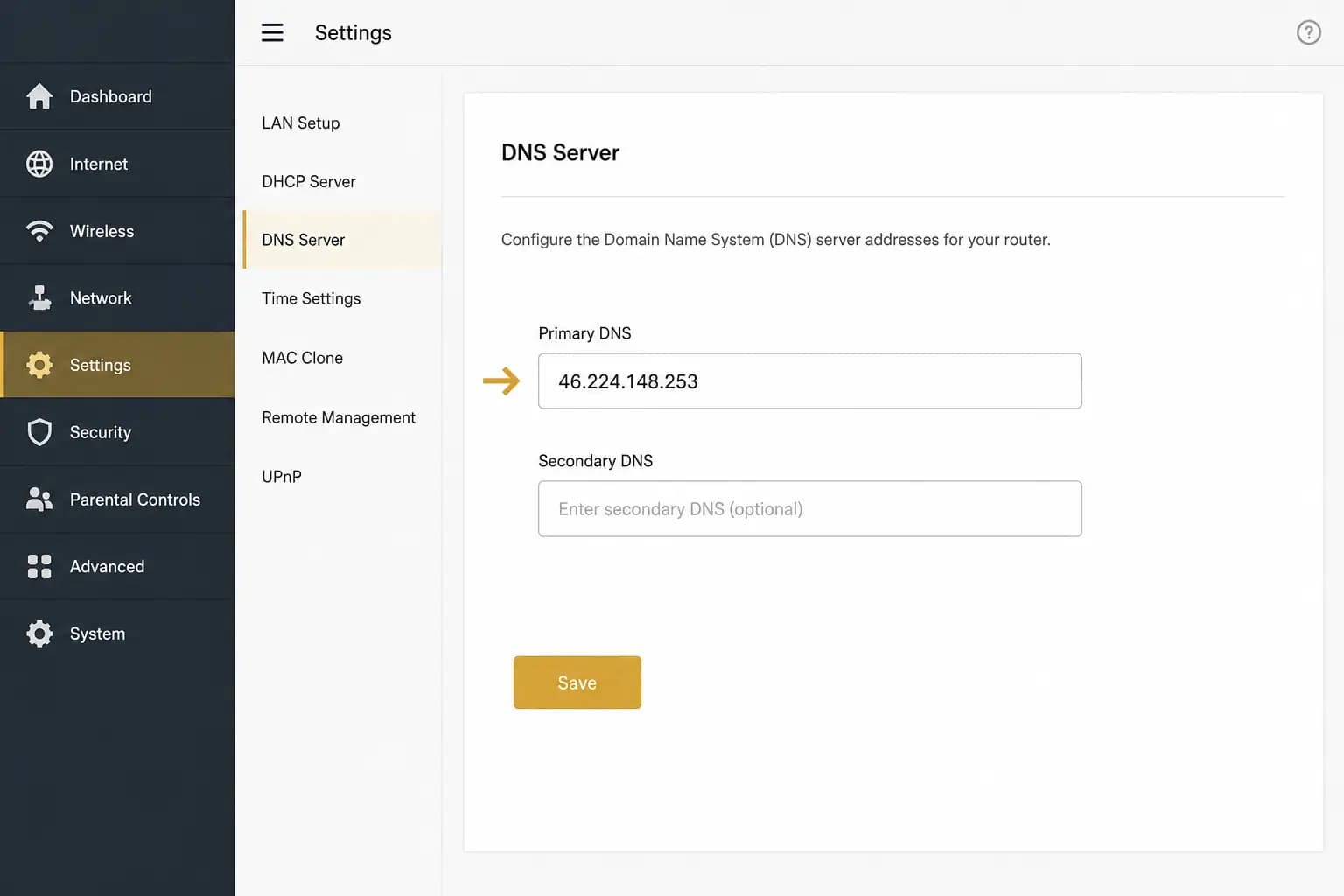
In your router's DNS settings (the same section from the open your router settings step), look for plain "DNS Server"fields that take a numeric address, often labelled "Primary DNS" and "Secondary DNS." Enter the fallback address:
Confirm your exact fallback addresses in the AnchorVow app.The signed-in app's home-router section lists the fallback address(es) to use for your home. The value above is a public example to show the shape; always copy the real list from the app.
Next
Save the setting, then check it is working.