
Google / Nest Wifi · Router setup
Google / Nest Wifi routers
Google / Nest Wifi devices do not support setting an arbitrary custom DNS or DoH server. This page explains the situation clearly: the per-device AnchorVow app remains your core protection.
DNS capability on Google / Nest Wifi
Custom DNS / DoH not supported on Google / Nest Wifi.This is a clear support situation, not a hidden half-working mode. If your router can't be configured for AnchorVow at the router level, the per-device AnchorVow app installed on each device provides full protection everywhere (home Wi-Fi, cellular, other networks). See the request support section below for options and assistance.
Google Wifi, Nest Wifi, and Nest Wifi Pro are managed through the Google Home app. Custom DNS is limited and DoH is not user-configurable.
What you can try
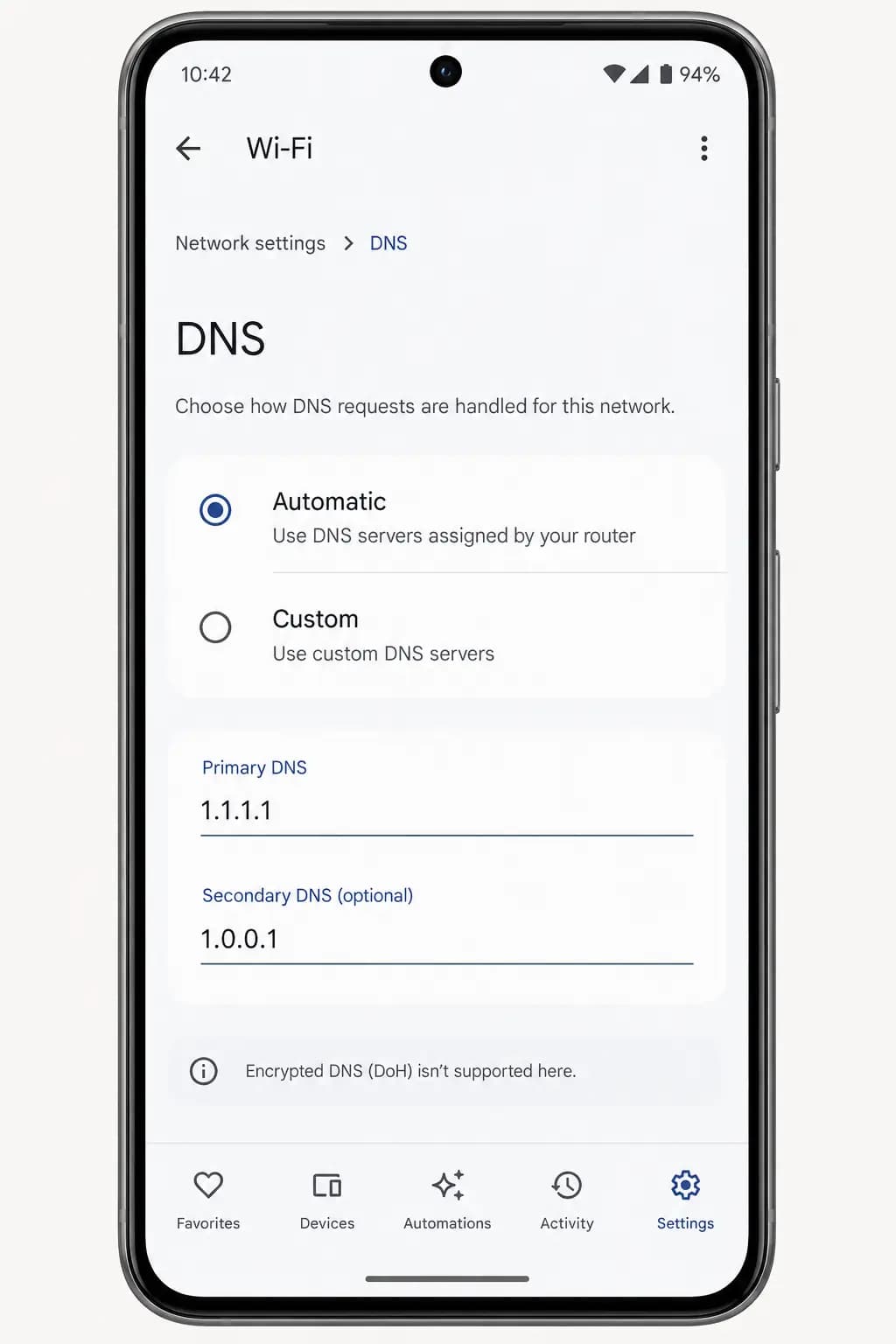
Google Home app → Wi-Fi → DNS. Custom DNS is available on some versions, but only as plain numeric addresses; DoH is not supported.
Known gotchas for Google / Nest Wifi
- Google/Nest Wifi does not support DoH or encrypted DNS for custom servers.
- Plain DNS entry (numeric IP) may be possible on some versions, but Google periodically changes app UI; check current app UI as it may have changed.
- Router-level AnchorVow encrypted DNS protection is not available on Google/Nest Wifi; the per-device AnchorVow app provides full protection.
Request support
Google / Nest Wifi devices don't support custom DNS at the router level. We'd rather tell you plainly than leave you in a half-working setup. Reach out and we'll confirm the situation and help you with the per-device app instead.
- If you're signed in: use in-app messaging to reach your accountability partner, or contact them directly; many setup snags are quickest to solve together.
- By email: write to admin@anchorvow.comfrom the email address on your account and describe what you're seeing (which step, the symptom, and your router brand and model).
An unsupported router is a clear support situation, not a hidden half-working mode. If yours can't be set up, we'd rather tell you plainly so you can rely on the per-device AnchorVow app instead.
Not a router problem? See what it does and doesn't do; it may be working as intended.