
Xfinity (ISP gateway) · Router setup
Xfinity (ISP gateway) routers
Xfinity (ISP gateway) devices do not support setting an arbitrary custom DNS or DoH server. This page explains the situation clearly: the per-device AnchorVow app remains your core protection.
DNS capability on Xfinity (ISP gateway)
Custom DNS / DoH not supported on Xfinity (ISP gateway).This is a clear support situation, not a hidden half-working mode. If your router can't be configured for AnchorVow at the router level, the per-device AnchorVow app installed on each device provides full protection everywhere (home Wi-Fi, cellular, other networks). See the request support section below for options and assistance.
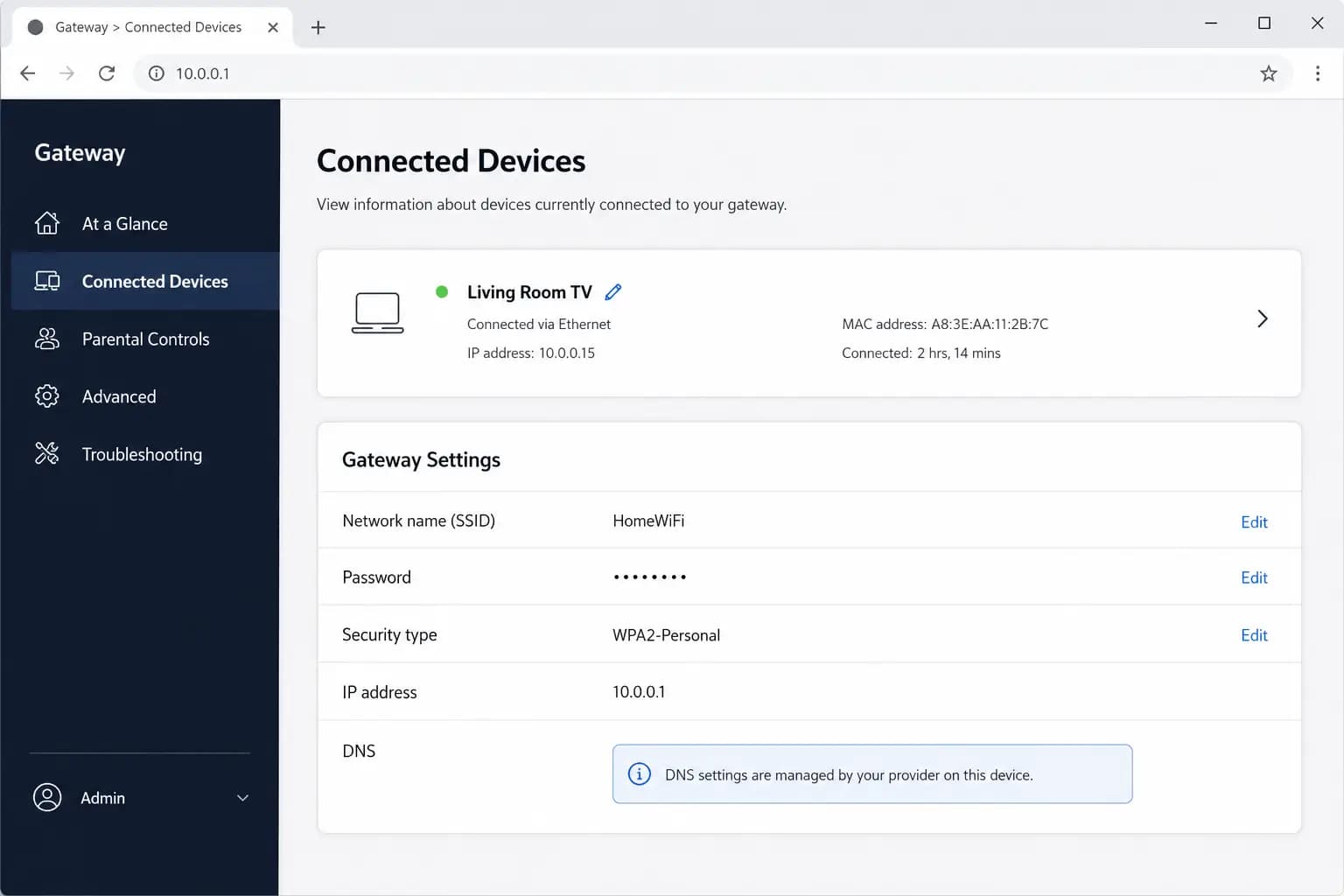
Xfinity-supplied gateway routers (XB6, XB7, XB8, and similar) are ISP-managed devices. Custom DNS settings are frequently unavailable or overridden by Xfinity.
What you can try
Look for Connected Devices → DNS (if present). On most Xfinity gateways, DNS fields are either absent or locked.
Known gotchas for Xfinity (ISP gateway)
- Xfinity may push firmware updates that reset DNS settings without notice; even if custom DNS works temporarily, it may revert.
- Bridge mode (which disables the gateway's routing, letting you connect your own router behind it) is an option worth asking Xfinity support about; your own router connected in bridge mode would support AnchorVow setup.
- Router-level AnchorVow protection is not reliably available on Xfinity-supplied gateways; the per-device AnchorVow app is the primary protection.
Request support
Xfinity (ISP gateway) devices don't support custom DNS at the router level. We'd rather tell you plainly than leave you in a half-working setup. Reach out and we'll confirm the situation and help you with the per-device app instead.
- If you're signed in: use in-app messaging to reach your accountability partner, or contact them directly; many setup snags are quickest to solve together.
- By email: write to admin@anchorvow.comfrom the email address on your account and describe what you're seeing (which step, the symptom, and your router brand and model).
An unsupported router is a clear support situation, not a hidden half-working mode. If yours can't be set up, we'd rather tell you plainly so you can rely on the per-device AnchorVow app instead.
Not a router problem? See what it does and doesn't do; it may be working as intended.